
Need low voltage data cabling in Bay Pines? Keywest Lights & Electric installs low voltage data cabling in Bay Pines for homes, offices and shops. We are licensed and woman-owned, and we run network, TV, phone and camera cable that stays tidy and works.
Request low voltage data cabling in Bay Pines
Tell us what you need and where the work is. A licensed electrician will reply with next steps and a time to visit.
In Bay Pines, we also take generator installation, panel replacement, JellyFish holiday and event lighting and EV charger installation.
Call or text (727) 476-7079 · open 24/7 for emergencies · request a quote online
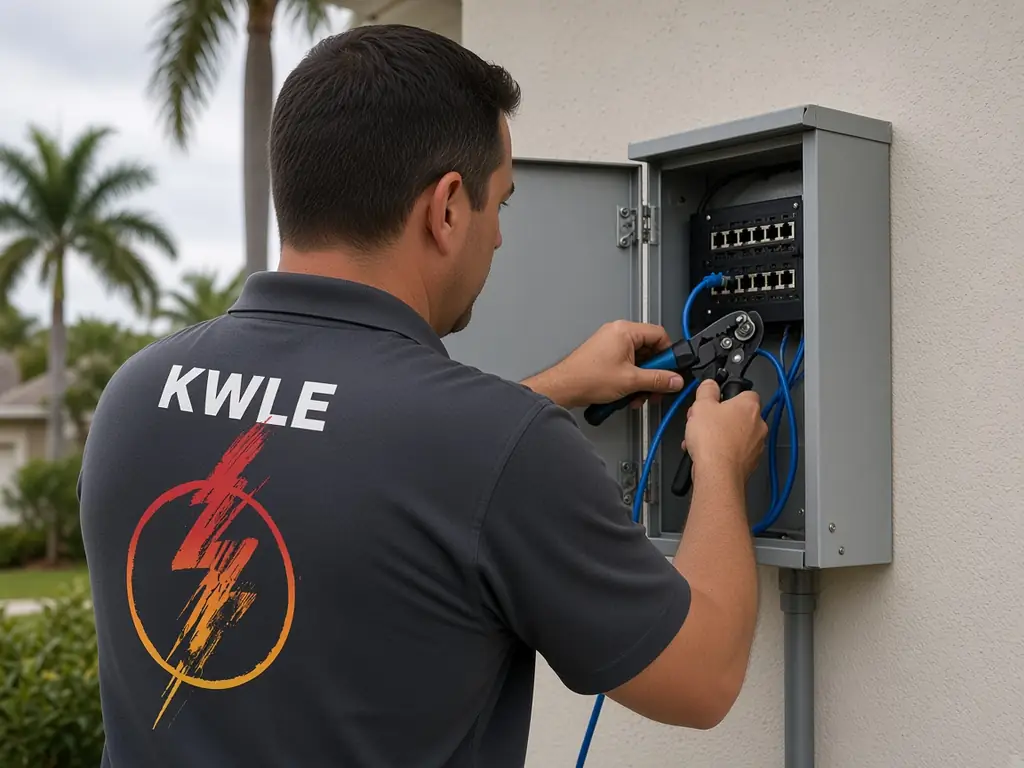
Low voltage data cabling in Bay Pines: a strong network starts in the walls
Wi-Fi gets the headlines, but wired links carry the load. A cable to a television, a work desk or an access point is faster and steadier than a wireless link. We plan paths, run cable and label every end, so the system is easy to maintain.
What we install
- Network cable: category 6 runs to outlets and access points.
- Wall plates: neat jacks in the rooms you use.
- Patch panels: one place for all runs.
- TV and coax: cable for antennas and streaming boxes.
- Phone lines: voice jacks and extensions.
- Cameras and doorbells: power and data for each device.
Why wired still matters
- Florida electrical contractor license EC13014717, licensed & insured
- Woman-owned business based at 6248 Seminole Blvd, Seminole FL 33772
- 2-year workmanship warranty, 5 years with a Member Care Plan
- SPAN Authorized Installer and Home Depot preferred contractor
- Open 24/7 for electrical emergencies: call or text (727) 476-7079
Streaming, video calls and games depend on steady speed. Walls, appliances and neighbors can slow a wireless signal. A wired link keeps the speed stable. In a house with thick masonry walls or a long floor plan, wired access points can make Wi-Fi strong in every room.
Retrofitting older Bay Pines homes
With a median build year of 1970 and many block-and-slab homes here, running cable takes planning. We use attics, soffits, closets and exterior chases and pull through existing conduit when it is available. We cut small holes and patch them neatly.
Home offices and remote work
A reliable cable to a desk makes work smoother. We place a network jack near the desk, a power outlet and a spot for a router. We also test the line speed and give you the result.
Smart home and cameras
Cameras, smart locks, thermostats and speakers use low-voltage power and data. We route cable to the camera locations, set a neat entry point and place a small panel with a power supply. A battery backup keeps cameras on during a short outage.
Small offices and shops
A few desks, a printer, a phone system and a camera need a tidy rack. We design a small patch panel, label ports and leave extra cable for growth. Staff can find any jack quickly.
Condos and villas
Cable paths in a condo are limited. We coordinate with the association about shared walls, chases and rooftop access. Inside the unit, we use the closets and ceilings.
Manufactured homes
Cable routing in a manufactured home uses the floor cavity and the interior walls. We locate paths with care and seal penetrations to keep out bugs and moisture.
Coastal weather
Outdoor cables face sun, rain and salt. We use outdoor-rated cable, drip loops and sealed boxes, and we avoid exposed splices.
Testing and labels
We test each run with a cable certifier, print a label for each end and save a simple map of the system.
Cable categories, speeds and distances
Category 5e handles basic needs, category 6 runs fast gigabit links up to a hundred meters and category 6a is built for the highest speeds. We pick the cable by the service you buy, the length of the run and the way you plan to use the network. Cheaper cable saves little compared with the labor to pull it.
Access points that cover the whole house
One router in a corner often leaves dead spots. A ceiling-mounted access point on a wired link covers a floor evenly, and a second unit handles the opposite wing. We pick locations that avoid mirrors, metal ducts and thick masonry, then wire each spot with a neat jack.
Coax, antennas and satellite
Some homes still use coax for antennas or cable boxes. We replace corroded fittings, add proper grounding and clean up loose lines. In a coastal climate, salt turns brass fittings green fast, so we use compression connectors with sealing gel.
Labels, maps and future growth
Every cable gets a printed label at both ends and an entry on a simple map. We leave pull strings in conduit and a service loop in the closet. When you add a camera or a desk in five years, you will know where each run goes.
Keeping data cables away from power
Data lines pick up noise from nearby power wires. We keep them at a safe distance, cross power cable at right angles and use separate holes in framing. This simple habit protects speed and avoids hum.
Conduit, raceway and exposed runs
In a block house with no attic access, a surface raceway in a matching color can carry cable along a baseboard or a ceiling edge. Inside, a flexible conduit lets you add runs later. Outside, UV-rated conduit with a weather head protects cable from sun and rain, and drip loops keep water from running into the wall.
Intercoms, doorbells and gate controls
A video doorbell needs a transformer and often a network link. A gate operator needs low-voltage control wire and a safe power feed. We test voltage at the device, trace the wire for breaks and replace cracked splices.
Common questions
Do I need category 6 cable? It is a good choice for most homes and small offices.
Can you run cable without making big holes? Often yes, through attics and closets.
Can you set up my router? We can mount and connect it. Your internet provider handles the account.
Can you add cameras? Yes, with power and data run to each camera.
How long does it take? Most homes need a day.
Who should I call to start a cabling job? Call or text (727) 476-7079 and tell us how many rooms need a jack.
Our trucks leave the shop on Seminole Blvd, about a mile away, and work near Bay Pines Boulevard, Boca Ciega Bay, Seminole Boulevard and Long Bayou. We also serve Redington Beach, North Redington Beach, Indian Shores, Pinellas Park and Largo.
Up: Low Voltage Data Cabling across Tampa Bay · For everything we do locally, see Bay Pines electrical service.
Nearby: Madeira Beach · Redington Beach · North Redington Beach · Bardmoor
Call or text (727) 476-7079 for low voltage data cabling in Bay Pines, or book online. Business hours 7 AM–5 PM, weekend service, 24/7 emergency calls.